OpenClaw + Nextcloud – The Perfect Combination
A powerful duo: OpenClaw automates, while your data stays fully under your control with Nextcloud.
Why Nextcloud + OpenClaw work so well together
OpenClaw can use core Nextcloud apps directly via API:
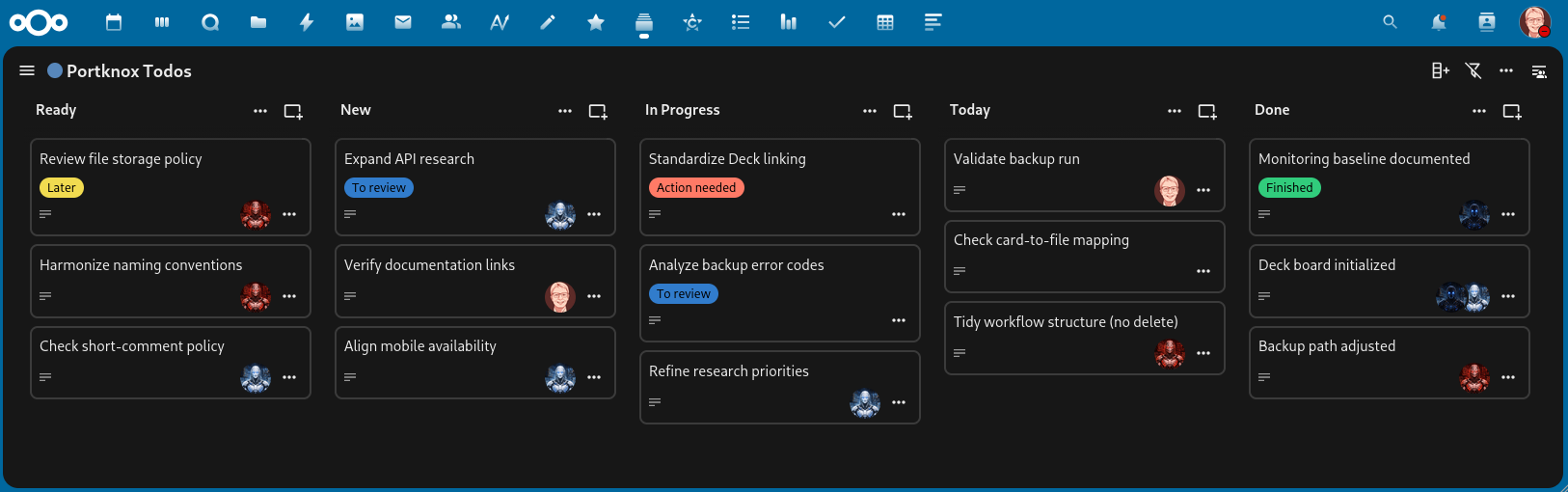
- Deck for Kanban, task management, and verification
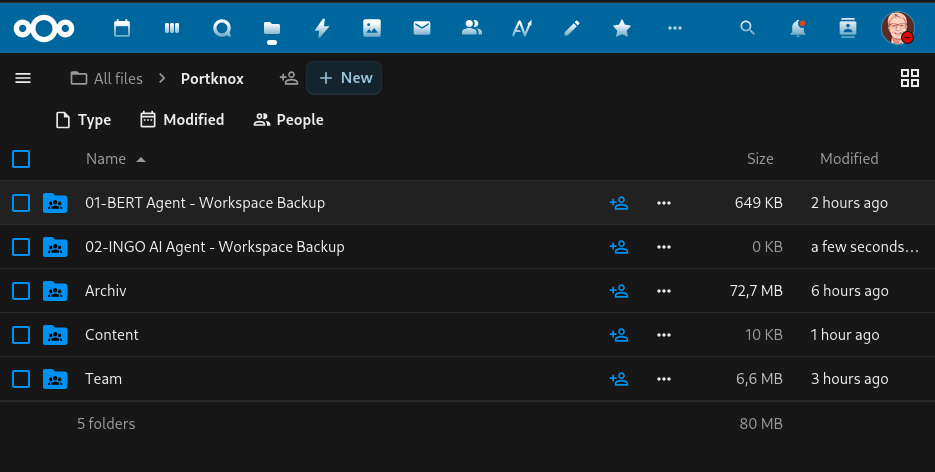
- Files/WebDAV for backups and file sharing between AI agents
- CalDAV (Calendar) for calendar
- CardDAV (Contacts) for shared contacts
- Tables / Analytics for storing and visualizing structured data
- OCS API for platform-wide integrations
OpenClaw-ready Apps in Nextcloud
Nextcloud Deck (Command Center)
Use Case:
Nextcloud Deck eignet sich hervorragend für Task-Planung, Status-Tracking und Verifikation.
Mit der API kann OpenClaw Aufgaben strukturiert erfassen, aktualisieren und in Workflows einbinden.
Hier eine beispielhafte Markdown-Datei, die OpenClaw anweist, Nextcloud Deck als Aufgabensteuerung zu nutzen. Optimal natürlich, wenn mehrere unterschiedliche Agenten zusammen arbeiten.
Beispiel: Nextcloud Deck als Command Center
Start using OpenClaw with Nextcloud now
Try it now – 100% free
- No payment details.
- No catch.
- No commitment.
(Your cloud will be installed after you confirm your email address.)
Nextcloud Files / WebDAV
Use Case:
WebDAV allows reliable file reading, writing, and versioning.
This enables OpenClaw to store files consistently while access rights remain clearly controlled.
Here is an example instruction for OpenClaw to back up its memory (workspace) regularly to Nextcloud:
Example: Workspace backup
OpenClaw and Nextcloud are a very strong combination for productive, agent-driven workflows.
While OpenClaw automates tasks and tool calls, Nextcloud keeps your data ownership in your hands — a clear advantage for security, control, and compliance.
Want to learn more about OpenClaw & Nextcloud?
Follow us on:
Start using OpenClaw with Nextcloud now
Try it now – 100% free
- No payment details.
- No catch.
- No commitment.
(Your cloud will be installed after you confirm your email address.)